
Command-line tool
php hubleto is the command-line tool of every Hubleto project. It initializes a project, manages apps and generates code. Run it in the project folder:
cd /var/www/html/hubleto
php hubleto help
Commands
The output of php hubleto help:
| Command | Description |
|---|---|
php hubleto help |
Prints this help |
php hubleto init |
Shortcut to project init command. |
php hubleto migrate [appNamespace] [model] |
Runs all pending migrations |
php hubleto project init |
Init empty Hubleto project. Config file must be in YAML. |
php hubleto app create <appNamespace> |
Create app in a given namespace. |
php hubleto app disable <appNamespace> |
Disable app. This will not delete app's data. |
php hubleto app install <appNamespace> [force] |
Install specified app. If force set to true, app will be reinstalled. |
php hubleto app test <appNamespace> <testName> |
Run one test. ONLY FOR DEVELOPMENT! MAY MODIFY YOUR DATA. |
php hubleto app test <appNamespace> |
Run all tests in <appNamespace>. ONLY FOR DEVELOPMENT! MAY MODIFY YOUR DATA. |
php hubleto app reset-all |
Re-install all apps their 'factory' state. |
php hubleto app list |
List all installed apps. |
php hubleto create app <appNamespace> |
Synonym for app create command. |
php hubleto create model <appNamespace> <model> |
Creates an empty model into a specified app. |
php hubleto create migration <appNamespace> <model> |
Creates default migration(s) based on the definitions of the specified model(s). |
php hubleto create controller <appNamespace> <model> |
Creates an empty controller into a specified app. |
php hubleto create view <appNamespace> <view> |
Creates an empty view into a specified app. |
php hubleto create mvc <appNamespace> <model> |
Creates a default MVC for a specified model. |
php hubleto create api <appNamespace> <endpoint> |
Creates a sample REST API controller. |
php hubleto debug router [routeToDebug] |
List all routes or print route information. |
Commands of php hubleto.
NOTE Checked against erp dev-main
9cdb6ba:app testis listed in the help but not implemented in the dispatcher, anddebug routerfails.project generate-demo-dataworks but is not listed.
<appNamespace> can be a full namespace (Hubleto\App\Custom\MyFirstApp) or a short name (MyFirstApp). A short name is expanded to Hubleto\App\Custom\<name>.
Pages in this chapter
| Page | Summary |
|---|---|
| php hubleto init | Initialize a new project: config, database, apps, admin, demo data. |
| php hubleto create app | Generate a custom app. |
| php hubleto create model | Generate a model, record manager and migration. |
| php hubleto create mvc | Generate a table, form, controller, view and route for a model. |
| php hubleto migrate | Apply pending migrations. |
Pages in the Command-line tool chapter.
From zero to a working CRUD app
The commands below were run on a fresh installation to create the examples in this chapter:
php hubleto init init-config.yaml # 1. new project with demo data
php hubleto create app MyFirstApp # 2. new custom app, answer "yes" to install it
php hubleto create model MyFirstApp Book # 3. model Book with sample columns
php hubleto create mvc MyFirstApp Book # 4. table, form, controller, view, route
php hubleto create migration MyFirstApp Book # 5. CREATE TABLE generated from describeColumns()
php hubleto migrate # 6. apply the migration
npm run build # 7. compile the React components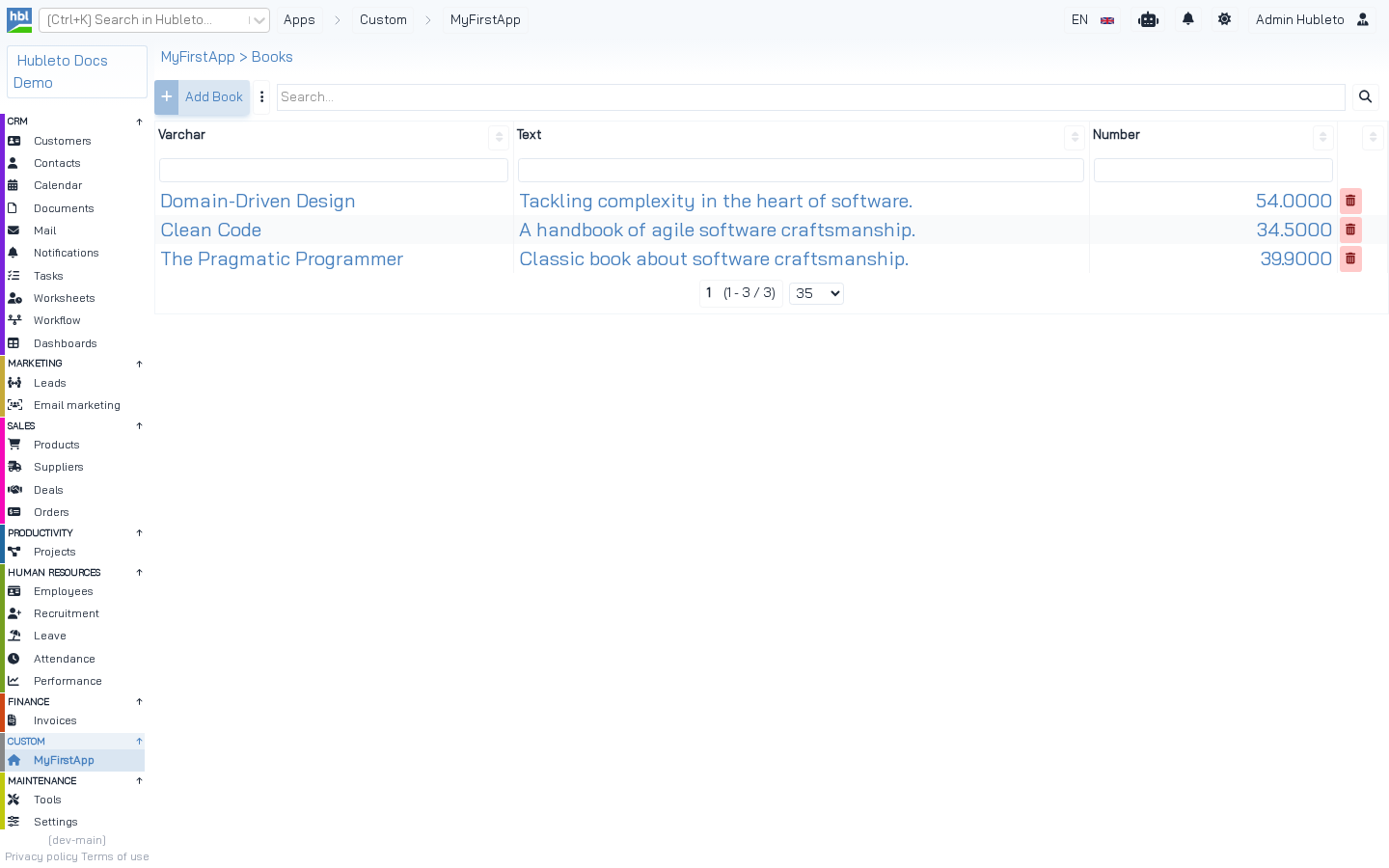 The result: *MyFirstApp > Books*, a table generated for the `Book` model.
NOTE Step 5 is needed because
create modelgenerates an empty first migration. Without step 5,migratemarks the empty migration as installed and thebookstable is never created. See create model.
Code markers
The generated Loader.php, Loader.tsx and Views/Home.twig contain markers. Later commands insert code under them:
| Marker | File | Filled by |
|---|---|---|
//@hubleto-cli:routes |
Loader.php |
create mvc, create api |
//@hubleto-cli:upgrade-schema |
Loader.php |
create model |
//@hubleto-cli:imports |
Loader.tsx |
create mvc |
//@hubleto-cli:register-components |
Loader.tsx |
create mvc |
{# @hubleto-cli:buttons #} |
Views/Home.twig |
create mvc |
CLI code markers.
If a marker is missing, the command prints the code and asks you to add it by hand (⚠ Failed to add some code automatically).