
Integration with top-level fulltext search using Loader::search() and addSearchSwitch()
The search box at the top of every page ([Ctrl+K] Search in Hubleto...) searches in all apps at once. Each app decides what it finds by implementing search() in its loader. With a search switch the user can limit the search to one app, e.g. /c bank searches only customers.
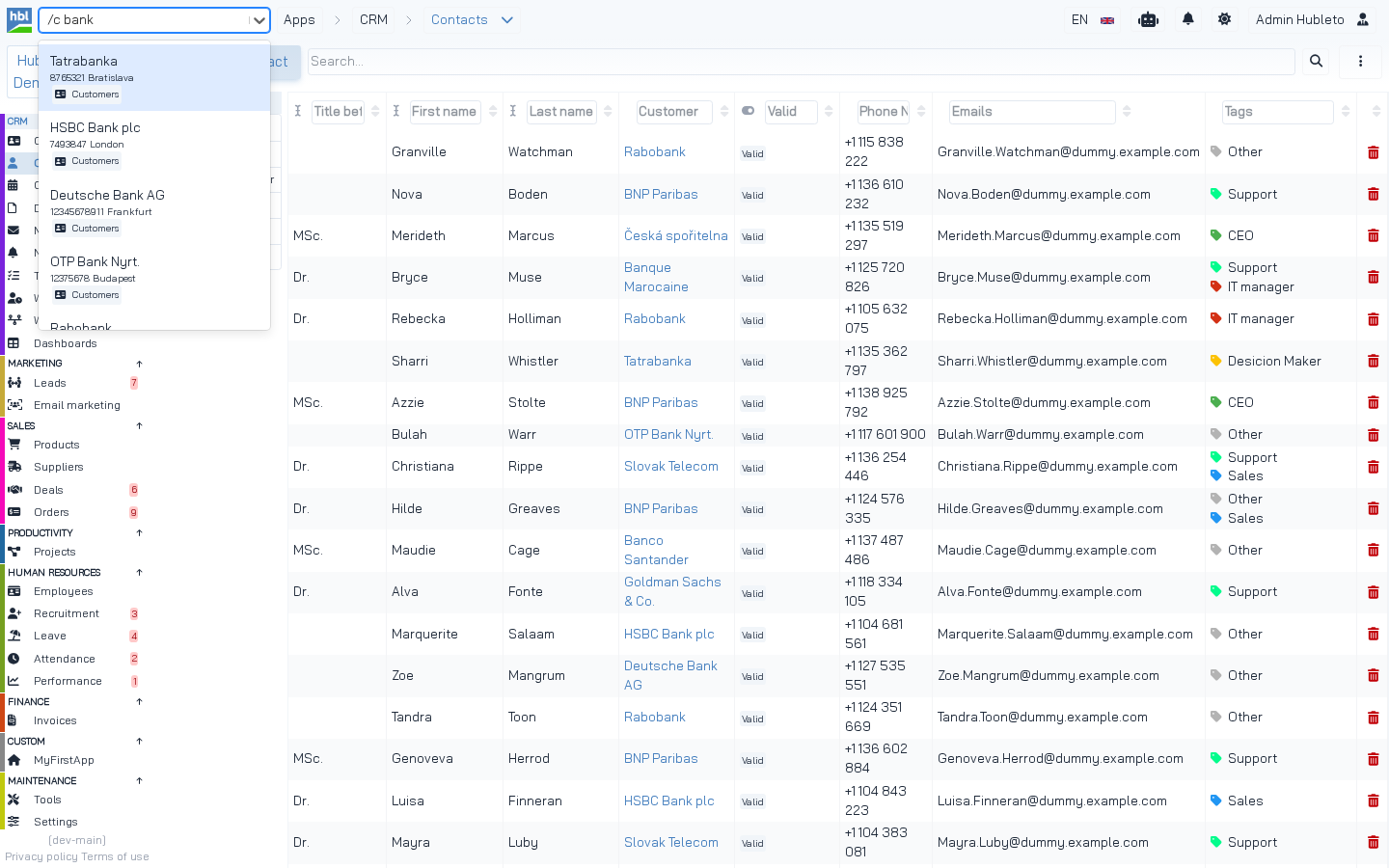 Searching `/c bank`: the `/c` switch limits the search to the Customers app, and `Customers\Loader::search()` returns the results.
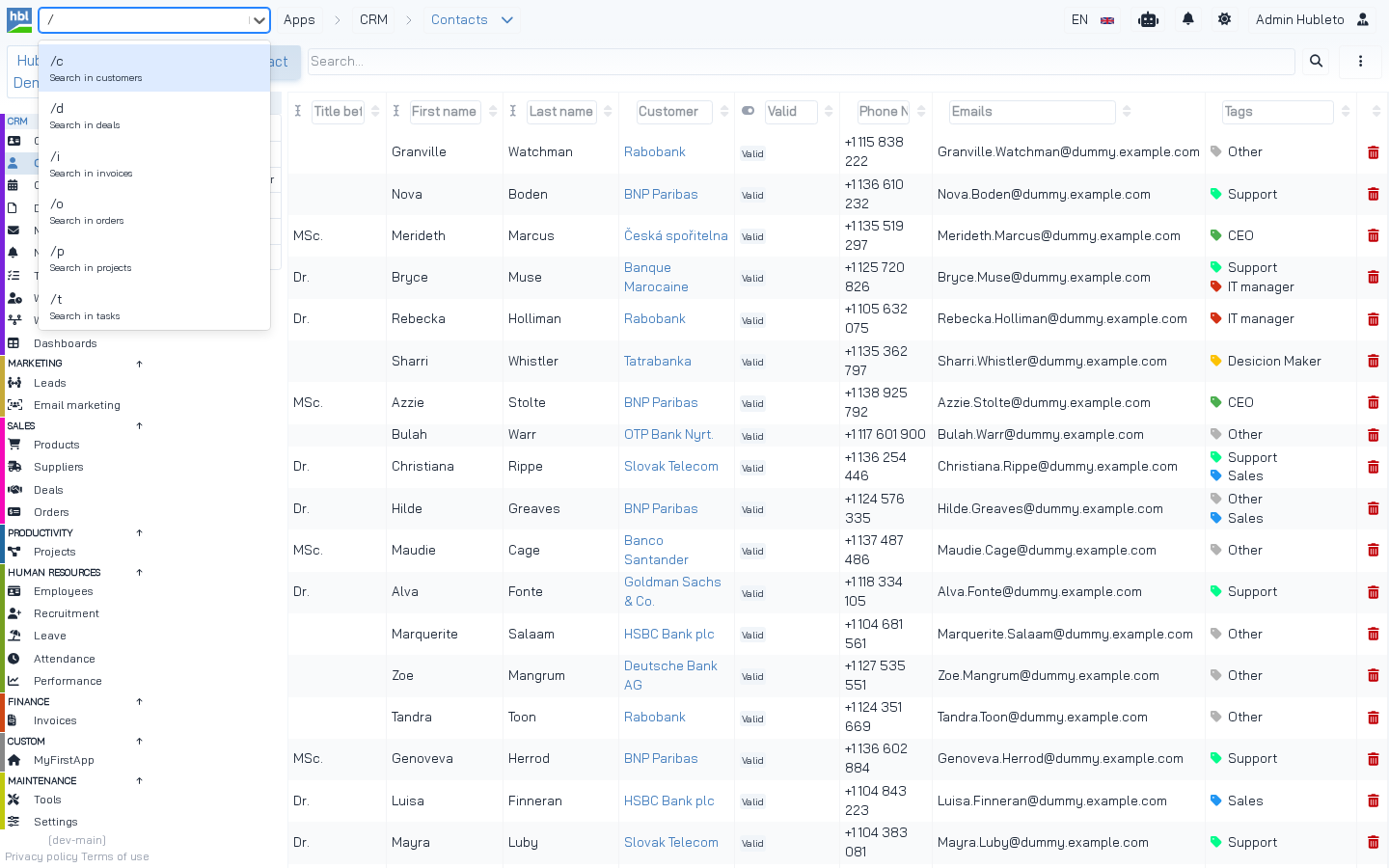 Typing `/` lists all switches registered by the apps with `addSearchSwitch()`.
1. Implement search()
search(array $expressions) receives the words the user typed (without switches) and returns a list of results. The default implementation in Hubleto\Framework\App returns an empty array, so apps without search() are simply skipped.
apps/Contacts/Loader.php
/**
 * Implements fulltext search functionality for the contacts
 *
 * @param array $expressions List of expressions to be searched and glued with logical 'or'.
 */
public function search(array $expressions): array
{
  $mContact = $this->getModel(Models\Contact::class);
  $qContacts = $mContact->record->prepareReadQuery();

  foreach ($expressions as $e) {
    $qContacts = $qContacts->where(function($q) use ($e) {
      $q->orWhere('contacts.first_name', 'like', '%' . $e . '%');
      $q->orWhere('contacts.last_name', 'like', '%' . $e . '%');
    });
  }

  $contacts = $qContacts->get()->toArray();

  $results = [];

  foreach ($contacts as $contact) {
    $results[] = [
      "id" => $contact['id'],
      "label" => $contact['first_name'] . ' ' . $contact['last_name'],
      "url" => 'contacts/' . $contact['id'],
      "description" => $contact['date_created'],
    ];
  }

  return $results;
}
Every word must match (the where() for each expression), and each word may match any of the searched columns (the orWhere() inside). Searching john smith finds contacts whose first or last name contains john and whose first or last name contains smith.
Result format
| Key | Required | Description |
|---|---|---|
label |
yes | Main text of the result. |
url |
yes | URL opened when the result is clicked (relative to the project URL). |
id |
no | ID of the record. |
description |
no | Second line, e.g. company ID and city. |
Keys of a search result.
The search API adds APP_SHORT_NAME, APP_NAMESPACE and APP_ICON to each result, so the UI shows which app it comes from.
More examples
apps/Customers/Loader.php: search in several columns
public function search(array $expressions): array
{
  $mCustomer = $this->getModel(Models\Customer::class);
  $qCustomers = $mCustomer->record->prepareReadQuery();

  foreach ($expressions as $e) {
    $qCustomers = $qCustomers->where(function($q) use ($e) {
      $q->orWhere('customers.name', 'like', '%' . $e . '%');
      $q->orWhere('customers.city', 'like', '%' . $e . '%');
      $q->orWhere('customers.vat_id', 'like', '%' . $e . '%');
      $q->orWhere('customers.tax_id', 'like', '%' . $e . '%');
      $q->orWhere('customers.company_id', 'like', '%' . $e . '%');
    });
  }

  $customers = $qCustomers->get()->toArray();

  $results = [];
  foreach ($customers as $customer) {
    $results[] = [
      "id" => $customer['id'],
      "label" => $customer['name'],
      "url" => 'customers/' . $customer['id'],
      "description" => $customer['company_id'] . ' ' . $customer['city'],
    ];
  }

  return $results;
}
apps/Deals/Loader.php: only open deals
foreach ($expressions as $e) {
  $qDeals = $qDeals->where(function($q) use ($e) {
    $q->orWhere('deals.identifier', 'like', '%' . $e . '%');
    $q->orWhere('deals.title', 'like', '%' . $e . '%');
  })
  ->where('deals.is_closed', false);
}
apps/Tasks/Loader.php: searching in computed columns with having()
foreach ($expressions as $e) {
  $qTasks = $qTasks->having(function($q) use ($e) {
    $q->orHaving('tasks.identifier', 'like', '%' . $e . '%');
    $q->orHaving('tasks.title', 'like', '%' . $e . '%');
  })
  ->where('tasks.is_closed', false);
}

// ...
$results[] = [
  "id" => $task['id'],
  "label" => $task['identifier'] . ' ' . $task['title'],
  "url" => 'tasks/' . $task['id'],
  "description" => $task['virt_related_to'],
];
TIP Always start with
$model->record->prepareReadQuery(). It applies the record permissions, so users find only records they may see.
TIP Limit the number of results (e.g.
->limit(20)) in apps with many records. The search runs in all apps for every keystroke.
2. Register a search switch
apps/Deals/Loader.php, init()
$this->addSearchSwitch('d', 'deals');| Argument | Description |
|---|---|
$switch |
Short switch without the slash, e.g. d for /d. |
$name |
What is searched. Shown as Search in deals in the list of switches. |
Arguments of addSearchSwitch().
Switches registered by the community apps:
| Switch | App |
|---|---|
/c |
Customers |
/d |
Deals |
/i |
Invoices |
/o |
Orders |
/p |
Projects |
/t |
Tasks |
Registered search switches.
More apps can register the same switch. The search then runs in all of them.
How the search works
From Hubleto\Erp\Api\Search (simplified)
$query = $this->router()->urlParamAsString('query');

$expressions = [];
foreach (explode(' ', strtr($query, ',;.', '   ')) as $e) {
  $expressions[] = trim($e);
}

foreach ($this->appManager()->getEnabledApps() as $appNamespace => $app) {
  $canSearchThisApp = true;
  $expressionsToSearch = $expressions;

  foreach ($expressions as $key => $e) {
    // ">deals" limits the search to apps whose name contains "deals"
    if (str_starts_with($e, '>')) {
      unset($expressionsToSearch[$key]);
      if (!str_contains(strtolower($app->fullName), strtolower(str_replace('>', '', $e)))) {
        $canSearchThisApp = false;
      }
    }

    // "/d" limits the search to apps that registered the "d" switch
    if (str_starts_with($e, '/')) {
      unset($expressionsToSearch[$key]);
      if (!$app->canHandleSearchSwith(trim($e, '/'))) {
        $canSearchThisApp = false;
      }
    }
  }

  if ($canSearchThisApp && count($expressionsToSearch) > 0) {
    $appResults = $app->search($expressionsToSearch);
    foreach ($appResults as $value) {
      $value['APP_SHORT_NAME'] = $app->shortName;
      $value['APP_NAMESPACE'] = $appNamespace;
      $value['APP_ICON'] = $app->manifest['icon'] ?? '';
      $results[] = $value;
    }
  }
}
What the user can type:
| Input | Result |
|---|---|
bank |
Search for bank in all apps. |
/c bank |
Search only in apps with the c switch (Customers). |
/ |
List of all switches. |
>dea |
List of apps whose name starts with dea, to open them. |
>deals fiber |
Search for fiber only in apps whose name contains deals. |
Search syntax.
NOTE One failing
search()breaks the search without a switch for all apps. For example, in the tested dev-main build (erp9cdb6ba),Products\Loader::search()fails with Unknown column 'products.package_unit', so only searches with a switch work. Test yoursearch()with several inputs.