
Hubleto Dev Hosting
Hubleto Dev Hosting gives developers a secure, production-like environment to build and test applications. Catching issues early speeds up your launch time and helps you prototype faster. Plus, with VS Code Remote support, you can build a new feature and instantly share a test link with customers. No live deployment needed.
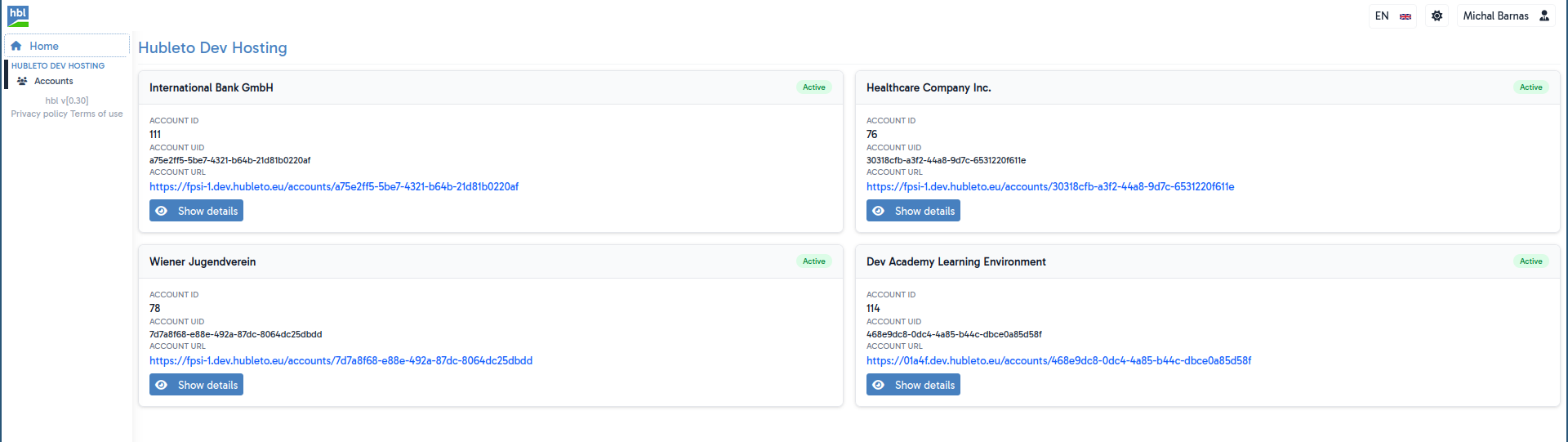
Through the Web UI, you can manage your assigned Hubleto accounts. At the moment, you can only create and delete the SSH access to them.
🚀 Are you interested in Hubleto Dev Hosting? Sign up for the Hubleto Dev Academy to get access!
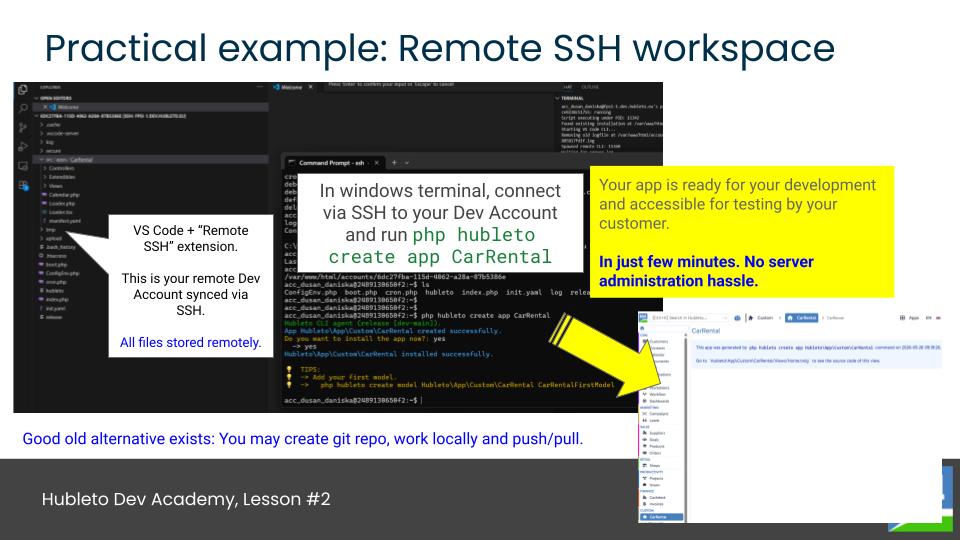
How to Set Up a Hubleto Dev Hosting Development Environment
- Log in to the Hubleto Dev Hosting.
- Select a Hubleto account and create SSH access for it.
- Open VS Code and establish a new Remote SSH connection.
- Use the SSH details provided by Hubleto Dev Hosting to log in.
- Once connected, you can start developing your app in the remote environment. You can use the terminal to run commands and manage your files as if you were working on your local machine.
🚧 Hubleto Dev Hosting is currently a Live Beta environment. This page will be extended as more features are added.